
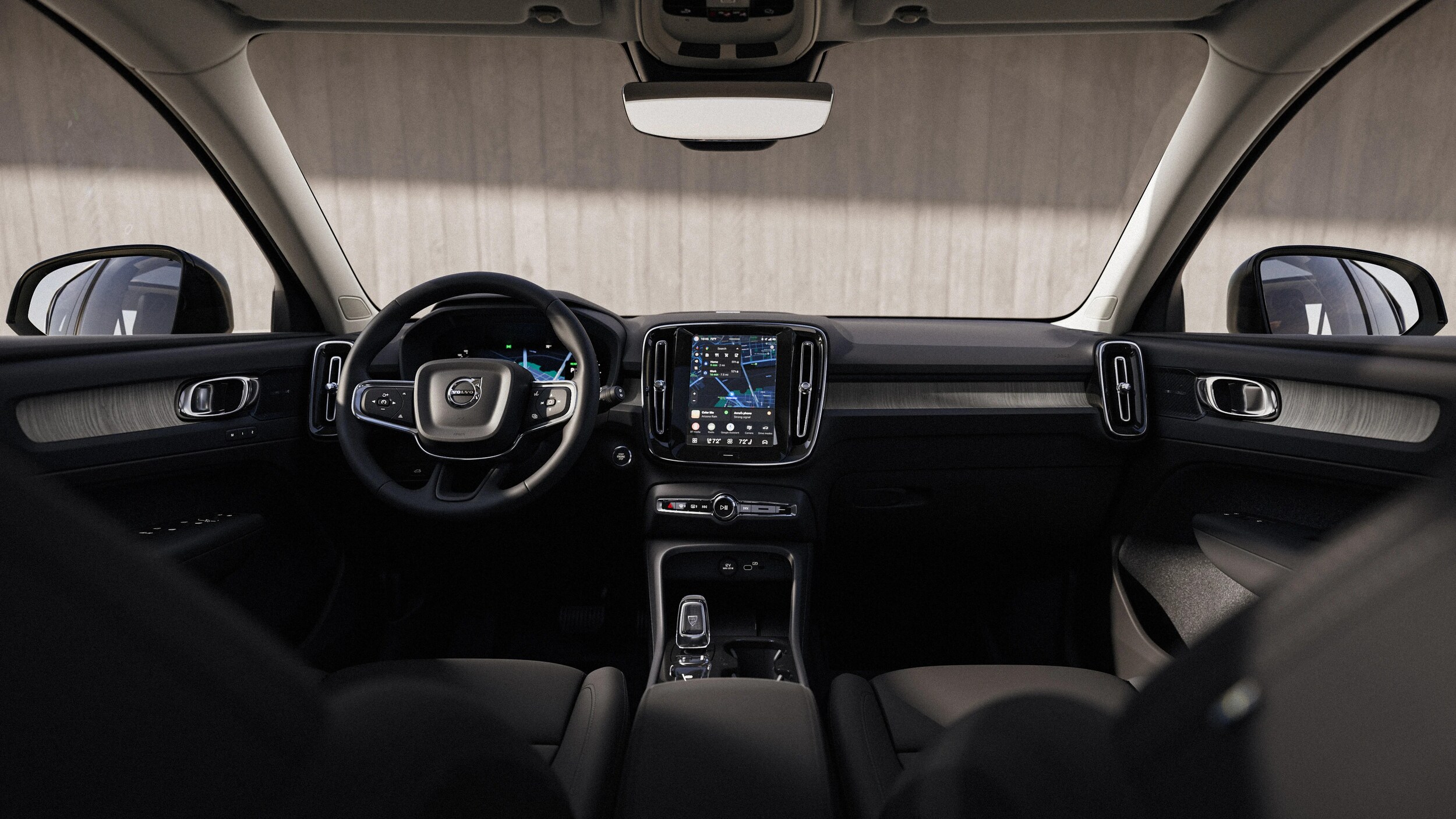
Talking to your car used to mean memorizing exact phrases and hoping it was understood. Google Gemini changes that. Gemini is now the voice assistant in Volvo vehicles with Google built in, and the Volvo XC40 is one of the models getting it.
Volvo and Google began rolling Gemini out to Volvo cars on April 30, 2026, starting with drivers in the United States. It reaches existing cars through an over-the-air software update, and the brand has confirmed Gemini will also be built into the refreshed XC40 arriving at U.S. dealers in early 2027.
Whether you already drive an XC40 around Myrtle Beach or you are shopping for your first one, here is what Gemini does, how to get it, and what to realistically expect. When you are ready to try it yourself, browse new Volvo inventory at Volvo Cars Myrtle Beach.
What Is Google Gemini, and How Is It Different From Google Assistant?
Gemini is Google's conversational AI, and in Volvo cars with Google built-in, it replaces Google Assistant. The difference is in how you talk to it.
Google Assistant worked best with fixed commands like "navigate to" or "call." Gemini understands natural speech, context, and what you are actually trying to do. Volvo describes it as moving from fixed voice commands to an intent-based experience.
In practice, that means you can:
- Speak the way you normally would, without a script
- Ask follow-up questions without repeating yourself ("What are the reviews like?" after asking for a restaurant)
- Change a request mid-stream, such as updating a text you already dictated
- Ask open-ended questions, like brainstorming weekend plans
You still start with "Hey Google," so the wake word stays the same. Google selected Volvo as a lead development partner for in-car features in 2025, which is why Volvo drivers are among the first to get Gemini in the car.
What Google Gemini Does in the Volvo XC40
Gemini handles four main jobs in the XC40: navigation and stops, messages, media, and trip planning. Here is how each one works, with examples that fit life on the Grand Strand.
Smarter navigation and pit stops with Google Maps
Gemini works with Google Maps to find places along your route and answer follow-up questions about them. Heading up Highway 17 to Wilmington? Try:
- "Hey Google, find a coffee shop on my route."
- "What are the reviews like?"
- "Is there easy parking?"
You can pick a stop with confidence without ever touching the screen. If you drive an electric Volvo, our guide to charging your Volvo pairs well with Gemini's route help.
Hands-free messaging
Gemini can summarize incoming texts and send messages you describe in plain language. For example: "Hey Google, tell Sarah I'm stuck in traffic on Highway 501, and I'll be 15 minutes late." If traffic clears, tell Gemini to update the message with your new arrival time instead of starting over. Volvo notes it can even send a message in another language.
Media that matches your mood
Instead of naming a specific playlist, you can ask for a feeling. "Hey Google, play something upbeat for the beach" or "play something calming" prompts Gemini to pick music from your streaming apps. It sounds especially good through the XC40's available Harman Kardon premium audio.
Trip planning and brainstorming
Gemini can help you plan, not just drive. Ask, "Help me plan a day trip from Myrtle Beach with the kids that's under two hours away," then ask follow-ups about activities or places to eat at the destination. It turns drive time into planning time without pulling out your phone.
Built on the Volvo Car UX
Gemini runs on top of the Volvo Car UX, the updated infotainment interface Volvo began rolling out in March 2026. Learn more about the apps and features available on our Volvo Cars App & In-Car Experiences page.
How to switch to Gemini in your XC40
- Keep your XC40's software current. Gemini depends on the latest Volvo Car UX update, which arrives over the air.
- Sign in to your Google account on the center display.
- Go to Settings, then Google, then Google Assistant, and look for the option to switch to Gemini.
- Haven't seen it yet? Google is rolling Gemini out gradually by account, so it may take some time to appear.
What to Expect From Gemini in Your XC40
Gemini is a big step up from older voice assistants, but it helps to set realistic expectations.
- It needs a connection. Gemini runs through Google's cloud, so it relies on your XC40's internet connection. Expect slower or limited answers in spots with weak cell coverage.
- It's rolling out in stages. U.S. drivers with a U.S. English Google account got access first. If a friend's Volvo has it and yours doesn't yet, that is normal.
- Features will keep growing. Volvo delivers new features over the air, so Gemini's abilities in your XC40 should expand over time without a trip to the dealership.
- Results can vary. Volvo notes that some connected apps need setup, and availability depends on your account and vehicle. Gemini is for drivers 18 and older.
- It is there to reduce distraction. Volvo's goal is fewer screen taps and more eyes on the road, which fits the safety focus the XC40 is known for.
Experience the Volvo XC40 at Volvo Cars Myrtle Beach
The best way to understand Gemini is to talk to it yourself, and our team at 855 Jason Blvd can walk you through it on a test drive. We serve drivers across Myrtle Beach, Conway, Carolina Forest, Murrells Inlet, Pawleys Island, and Shallotte, NC.
Here is how we can help:
- Shopping new? Explore the 2026 Volvo XC40, or design yours with Build My Volvo.
- Watching your budget? Check current new Volvo offers, explore our finance center, and value your trade online. Costco members can also review our Costco Member Savings.
- Prefer pre-owned? Shop our used SUV inventory for an XC40 with Google built-in.
- Already own an XC40? Our service center can confirm your software is up to date and answer setup questions.
Categories:
Social